Samsung Users Organize Apps with Edge Panel
 ··1 min read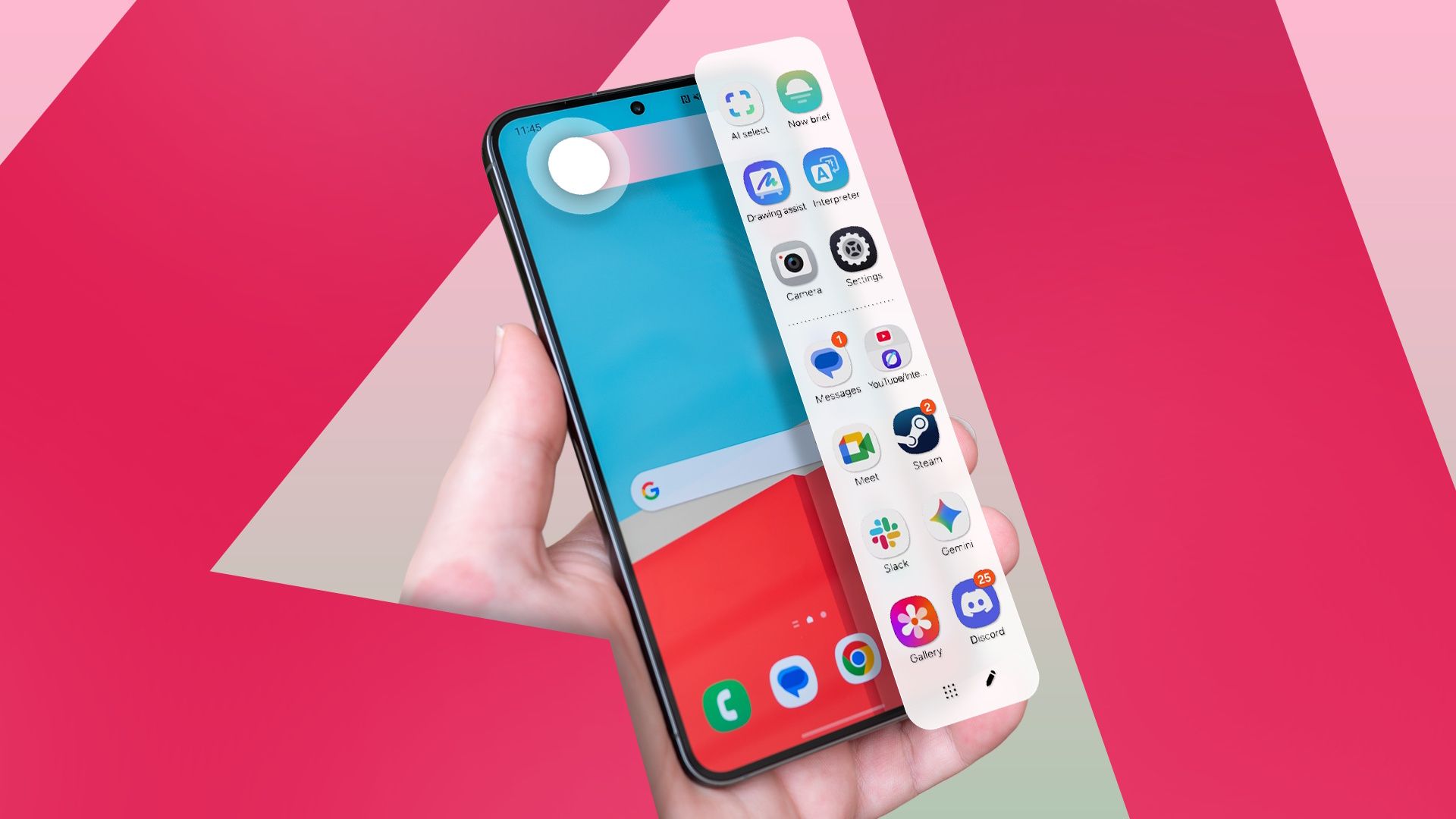
Some Samsung users have started moving their favorite apps to the Edge Panel, a feature available on select Samsung devices, to declutter their home screens.
This trend is driven by users who have accumulated many apps on their home screens, leading to a disorganized layout. The Edge Panel, a vertical or horizontal bar that can be accessed by swiping from the edge of the screen, provides an alternative space for apps, widgets, and tools.
Users report that this reorganization helps them to quickly access their most-used apps without the need to navigate through multiple home screen pages. The Edge Panel can be customized to display frequently used apps, contacts, tools, and more, allowing for a more streamlined user experience.
This shift in app organization has been particularly beneficial for users who have a large number of apps installed on their devices. By moving less frequently used apps to the Edge Panel, users can keep their home screens clean and focused on their most important apps and widgets.
Samsung's Edge Panel feature is available on devices that run on the company's One UI software, which is based on Android. The feature can be enabled and customized through the device's settings menu.
CONTEXT: This trend highlights the evolving ways in which users interact with their mobile devices. As smartphones become more integral to daily life, users are continually seeking ways to optimize their device's layout and functionality to enhance productivity and ease of use.